Thousands of students are searching for the PM Youth Chromebook Scheme helpline number, and this article begins with the honest answer: the official portal does not publish any phone helpline number. If a number is circulating on social media or in forwarded messages claiming to be the scheme helpline, it is not official, and you should not trust it with your personal documents. This guide explains where real help actually comes from, so that you can solve your problem safely and without paying anyone.
The scheme gives 500,000 free Chromebooks to government-school toppers and is run by the Inter Boards Coordination Commission (IBCC) under the Prime Minister’s Youth Programme. It was launched on 23 October 2026 at the Jinnah Convention Centre in Islamabad by Prime Minister Shehbaz Sharif. Registration is free, and there is no fee at any stage. That single fact protects you more than any phone number could: anyone asking for payment in the name of this scheme is not genuine.
Is There an Official Helpline Number?
No. The official portal publishes no phone number for helpline support. The portal’s homepage was checked in full, and no phone number appears anywhere on it. This matters because many students waste hours calling numbers shared in forwarded messages, and some of those numbers are used to collect personal information such as CNIC details and roll numbers. Do not share your CNIC, B-Form, roll number or documents with any person or number that claims to be the scheme helpline.
The official channel is the portal itself. All genuine information about the scheme — eligibility, documents, quotas and the application process — comes from the portal and from your education board. If a piece of information cannot be traced back to one of those two sources, treat it as unverified. Official announcements about the scheme are made through the Prime Minister’s Youth Programme and IBCC channels, and major newspapers carry those announcements, but a random social media post or a forwarded message is not an announcement, however official it may look.
Your education board is the real source of help for this scheme, because your SSC-I record comes from your board and IBCC verifies it. The most common problem students face is a “record not found” message on the portal, and the portal itself directs such students to their own board. If your record is not found, contact your board’s office and ask them to check your 9th class record, your roll or registration number, and your date of birth exactly as registered with the board.
Record not found: your board checks your 9th class record.
Wrong details shown: your board corrects the record before you submit.
Result not announced yet: your board’s announcement is what you wait for.
Document questions: your school or board office can guide you locally.
Fix Common Problems Yourself First
Many problems have simple fixes that you can try before seeking help elsewhere. The table below matches each common problem with the right fix, and most students will find their answer here.
Problem
What to Do
Record not found
Contact your own education board to check your record
Number rejected
Enter digits only, without dashes, exactly as on your record
Document upload fails
Check each file is 300 KB or smaller and is the right document
Wrong details shown
Do not submit — get your board record corrected first
Submitted by mistake
Entries cannot be changed after submission, so review first
When you search for your record, use your CNIC or B-Form number, your roll or registration number in digits only without dashes, and your correct date of birth. A single wrong digit, or a dash typed into the number, can make a record that exists appear missing.
Beware of Fake Helpline Numbers
Fake helpline numbers spread quickly whenever a popular scheme launches, and this scheme is no exception. Treat any number with suspicion if it asks for money, asks for a photo of your CNIC or B-Form, or promises to guarantee your selection. Registration is free, selection is based on verified SSC-I ranking until quotas are filled, and no person can guarantee a Chromebook in exchange for payment. If someone contacts you claiming to be from the scheme and asks for payment, stop the conversation and share nothing.
Never pay anyone for registration or selection.
Never share CNIC, B-Form or roll-number photos with strangers.
Never trust a number just because it appears in a forwarded message.
Use only the official portal and your own education board.
Sindh Students: A Special Note
Students in Sindh face a particular situation that looks like a problem but is not one. Registration in Sindh opens after all Sindh boards announce their 2026 9th-grade results. If you are a Sindh student and your record is not showing yet, the reason is usually that your board result has not been announced, and no helpline call can change that timing. Wait for your board’s announcement, and then check the portal again. Calling an unofficial number in the meantime only exposes your personal details for no benefit.
Help Source
Trust It?
Official portal (IBCC)
Yes — the only official online channel
Your own education board
Yes — your record comes from your board
Your school administration
Yes — for local guidance on documents and records
Forwarded phone numbers
No — not published by the portal
Anyone asking for payment
No — registration is completely free
IBCC and the Programme Behind the Scheme
IBCC implements the scheme under the Prime Minister’s Youth Programme. The scheme covers Grade 9 students in Punjab, Sindh, Khyber Pakhtunkhwa and Balochistan, and Grade 9 and 10 students in Islamabad, Azad Jammu and Kashmir and Gilgit-Baltistan, with a minimum of 50 percent marks. Each Chromebook includes a high-speed internet device, and one connection can benefit up to five people. The programme’s scale — 500,000 devices — is exactly why unofficial helpers have appeared: where a scheme is large and popular, people who want to profit from confusion appear quickly. The defence against them is simple and free: trust only the portal and your board, and remember that no genuine step in this scheme ever asks you for money. For the full application steps, read our PM Youth Chromebook Scheme apply guide, and keep your documents ready before you begin.
Conclusion
There is no official phone helpline number for the PM Youth Chromebook Scheme, and any number claiming to be one is unofficial. Your real help route is your own education board for record problems, and the official portal for everything else. Keep your documents ready, enter your details exactly, review before you submit, and never pay anyone for help. The official portal is pmychromebooks.ibcc.edu.pk.
FAQs
What is the PM Youth Chromebook Scheme helpline number?
No phone helpline number is published on the official portal. Do not trust numbers shared in messages or on social media.
My record is not found. What should I do?
Contact your own education board and ask them to check your 9th class record, roll or registration number, and date of birth.
Is there any fee for registration or help?
No. Registration is completely free, and no genuine helper will ask you for payment.
Can I get help from IBCC directly?
IBCC runs the scheme through the official portal, but it publishes no phone helpline. Use the portal and your board for support.
Shahzad Sahil is the editor of plcpunjab.pk, covering Punjab government schemes including the Livestock Card, eligibility, registration and latest updates, with information verified from official sources for readers across Punjab.
A second chance is on the way for Intermediate students across Punjab. The nine boards of the province will hold the Intermediate 2nd Annual (Supplementary) Examinations 2026 together on a common schedule, and the first paper will be held on 3 November 2026. These exams cover both Part-I (11th class) and Part-II (12th class) subjects,…
The Board of Intermediate and Secondary Education (BISE) DG Khan has announced the 11th class result 2026 today, Thursday, 22 October 2026, at 10:00 AM (PKT) — the result is now LIVE. This result is for the students of Dera Ghazi Khan, Muzaffargarh, Layyah and Rajanpur districts who appeared in the HSSC Part 1 first…
The Board of Intermediate and Secondary Education (BISE) Bahawalpur has announced the 11th class result 2026 today, Thursday, 22 October 2026, at 10:00 AM (PKT) — the result is now LIVE. This result is for the students of Bahawalpur, Bahawalnagar and Rahim Yar Khan districts who appeared in the HSSC Part 1 first annual examination….
Students and professionals across Pakistan can now enrol in nine free online courses in Artificial Intelligence and Cybersecurity offered by the Virtual University of Pakistan in collaboration with Cisco Networking Academy. Announced on 3 November 2026, the eight-week Learn-A-Thon 2026 runs through the university’s Professional Development Center, is fully self-paced, and offers Cisco digital badges…
Students applying for the CM Punjab Honhaar Undergraduate Scholarship Phase IV have one week left to complete their applications. The scheme, run by the Punjab Higher Education Commission (PHEC), covers 100% of tuition fees for selected students, and applications close on 9 November 2026. This final-week checklist covers who can apply, which documents to keep…
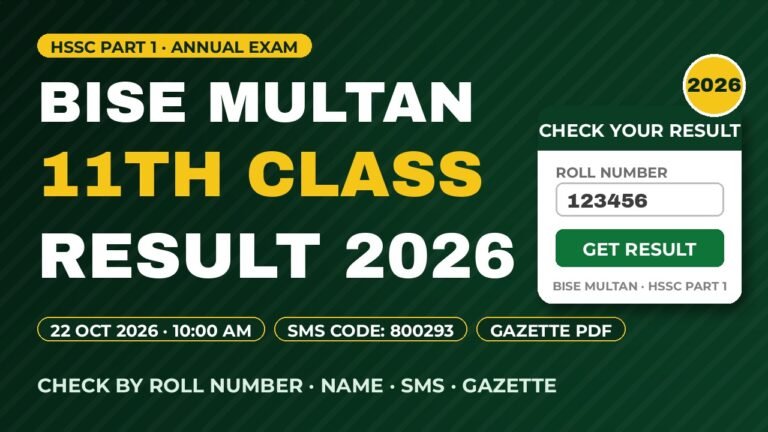
The Board of Intermediate and Secondary Education (BISE) Multan has announced the 11th Class Result 2026 for the HSSC Part 1 Annual Examination today, Thursday, 22 October 2026, at 10:00 AM (PKT) — the result is now LIVE. Students from Multan, Khanewal, Lodhran and Vehari can check their marks on the official website web.bisemultan.edu.pk, by…