Apni Chhat Apna Ghar Apply Online 2026: Interest-Free Loan Up to Rs 1,500,000 for Your Own House
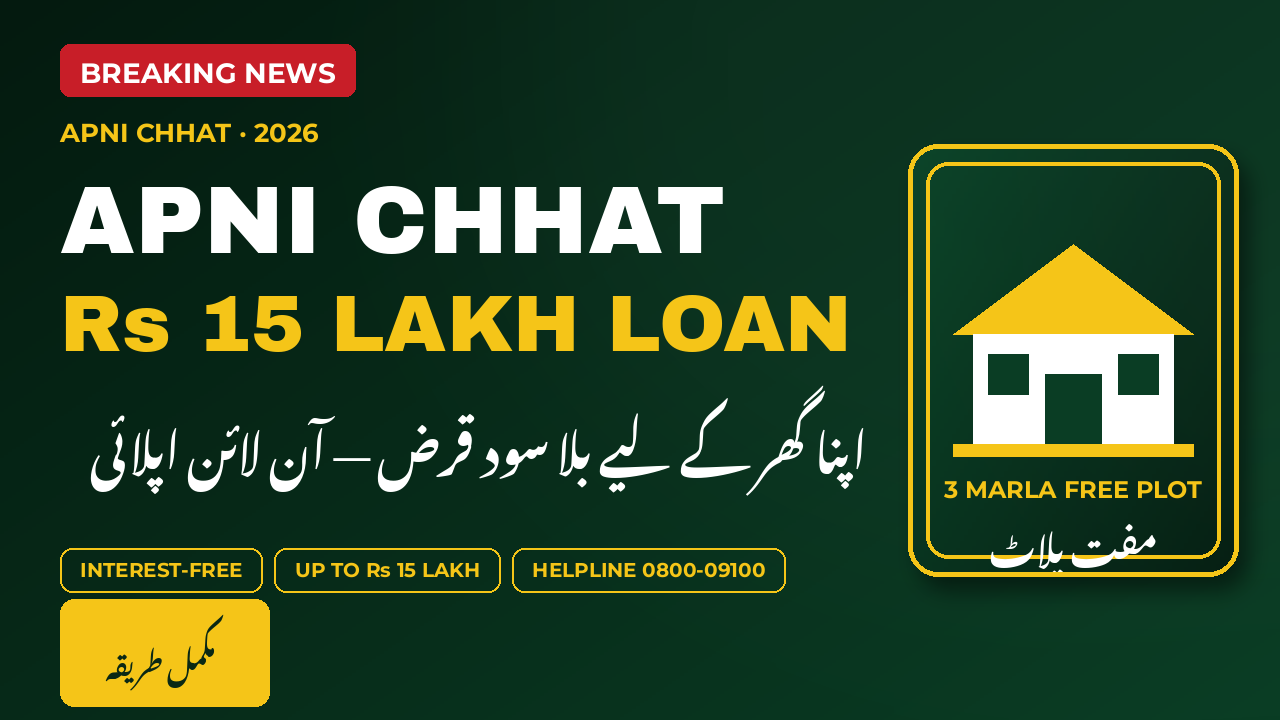
For thousands of low- and middle-income families in Punjab, the hardest part of building a house is not the bricks or the labour. It is the money to start. The Apni Chhat Apna Ghar programme, launched by Chief Minister Maryam Nawaz Sharif and run through the Punjab Housing and Town Planning Agency (PHATA), is designed to solve exactly that problem. It offers an interest-free loan of up to Rs 1,500,000, or Rs 15 lakh, to eligible families who already own a residential plot and want to build their own home.
The good news is that the whole application can be made from home. You do not need an agent, a recommendation, or a visit to a middleman. You register on the official portal, fill in your details, upload your documents, and track your application with a tracking ID. This guide walks you through every step in plain language: who can apply, what you need before you start, how to register online, what happens after you submit, and the mistakes that most often delay an application.
Detail
Apni Chhat Apna Ghar 2026
Maximum loan
Rs 1,500,000 (Rs 15 lakh), interest-free
Markup
0 percent, no interest charged
Repayment
Easy monthly instalments over 7 years, about Rs 14,000 a month
Loan channel
Bank of Punjab, in stages linked to construction
Official helpline
0800-09100, toll-free
Application fee
None, the whole process is free
Who Can Apply Online
Before you open the registration form, check honestly whether you fit the programme. It is built for Punjab families who own a small residential plot but cannot afford to build on it without help. Applying when you clearly do not qualify only wastes your time and slows the system for others, so read this section carefully first.
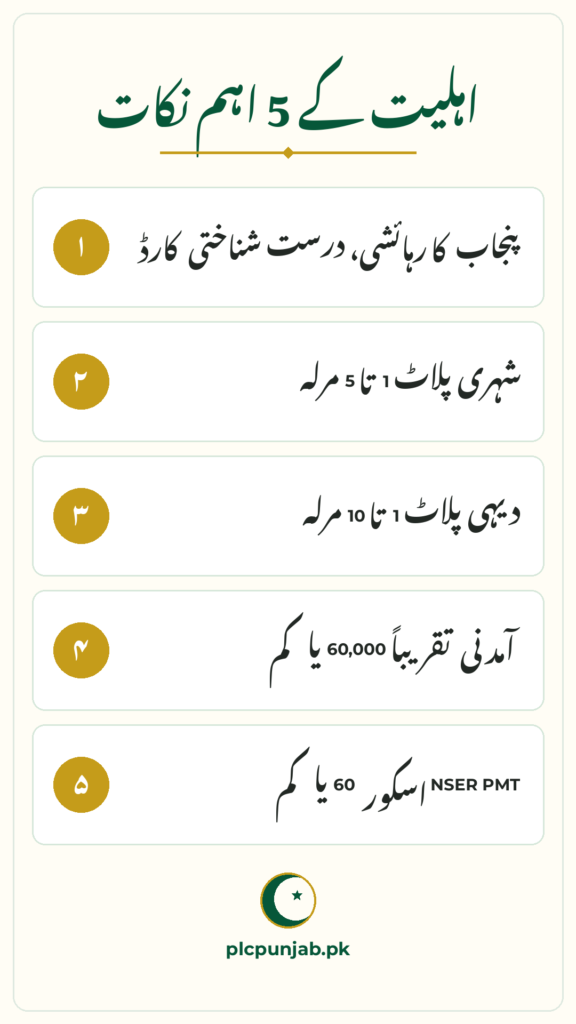
The applicant must be a permanent resident of Punjab with a valid CNIC, and must be the head of the family as recorded by NADRA. You must own a residential plot: from 1 to 5 marla in an urban area, or from 1 to 10 marla in a rural area. Your household income should be about Rs 60,000 a month or less, and your NSER PMT score should be 60 or below. You should not already own a constructed house, you should not be a bank defaulter, and you should have no criminal record.
Permanent resident of Punjab, with a valid CNIC.
Head of the family as per NADRA records.
Own a residential plot: 1 to 5 marla in urban areas, 1 to 10 marla in rural areas.
Low or middle income: about Rs 60,000 per month or less.
NSER PMT score of 60 or below.
Not a bank defaulter, with no criminal record, and not already owning a constructed house.
The online form asks for your details and for scanned copies of your documents, so gather everything before you sit down to apply. Trying to find a missing paper halfway through the form is the easiest way to make a mistake, and rushed uploads are often blurry or incomplete. Put your papers in one folder, photograph or scan them in good light, and check that every page is fully visible before you begin.
Current scheme guides list the following as the documents typically required. The portal itself will show you exactly what it asks for on the day you apply, so follow its instructions where anything looks slightly different, but this list will cover almost every case. Keep both the originals and clear copies safe, because you may need them again at verification.
CNIC copies, front and back, of the applicant and spouse.
Plot ownership proof: the fard or registry of your residential plot.
NADRA Family Registration Certificate, known as the FRC.
Income proof: a salary slip, pension book, or income affidavit.
Bank account details, for loan disbursement through the Bank of Punjab.
Recent passport-size photographs, and a utility bill for address verification where asked.
Blurry or cut-off uploads are one of the most common reasons applications are sent back for correction, which can delay you by weeks. Check each image after you upload it. If a corner is missing, a number is unreadable, or a page is dark, retake it before you submit.
Step-by-Step Online Registration
Here is the registration process as it works on the official portal. The portal walks you through each screen, so follow its on-screen instructions where anything looks slightly different from this guide. The steps below follow the current guides and the portal’s own flow, for a first-time applicant registering with a CNIC and a mobile number in their own name.
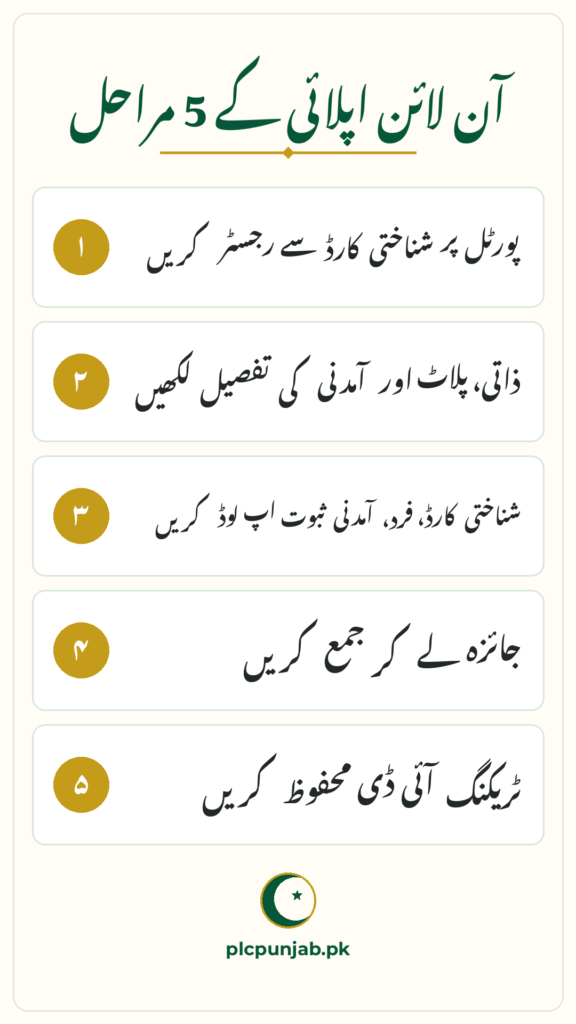
Open the official portal in your browser and click Register, usually at the top right of the homepage. Enter your full name exactly as it appears on your CNIC, then your CNIC number and your mobile number, which must be registered in your name. Select your district and division, create a password, and verify your account with the one-time password sent to your mobile. Once logged in, fill in the application form with your personal details, plot details including size, location and ownership, and your income and dependents.
Step 1: Open the official portal and click Register.
Step 2: Enter your full name exactly as on your CNIC.
Step 3: Enter your CNIC number and your mobile number, registered in your name.
Step 4: Select your district and division, then create a password.
Step 5: Verify your account with the OTP sent to your mobile.
Step 6: Log in and fill the form: personal, plot, income and family details.
Step 7: Upload the scanned documents the form asks for.
Step 8: Review everything carefully, submit, and save your tracking ID.
That tracking ID is your application’s identity from this point on. Take a screenshot of it, write it in a notebook, and keep it with your documents. You will need it for every follow-up, whether you check your status online or call the helpline.
Loan Amounts and Repayment
The headline figure is Rs 1,500,000, but not every applicant needs or receives the full amount. Scheme guides describe loan categories of Rs 5 lakh, Rs 10 lakh and Rs 15 lakh, matched to the work you plan: a smaller amount for a washroom or an upper portion, and the full amount for repair, extension or new construction on your own plot. The portal and the verification process will guide you to the category that fits your construction plan, income and family size.
Repayment is designed to be manageable. The loan is completely interest-free, and it is repaid in easy monthly instalments over 7 years, at about Rs 14,000 a month for the full loan. The government also carries a large share of the cost as a subsidy, which is why the monthly figure is lower than a commercial loan of the same size would be. The Bank of Punjab releases the loan in stages, linked to construction progress, rather than as a single lump sum.
Maximum loan: Rs 1,500,000, with smaller categories of Rs 5 lakh and Rs 10 lakh for smaller works.
Markup: 0 percent, fully interest-free.
Repayment: 7 years in easy monthly instalments, about Rs 14,000 a month at the full amount.
Disbursement: through the Bank of Punjab, released in stages as construction progresses.
A proposal to raise the cap to Rs 2 million was never implemented, so do not expect a higher amount.
After You Submit: Tracking and Stages
Submission is the start, not the end. Your application moves through a fixed sequence, and you can follow it in your portal dashboard or by calling the helpline on 0800-09100. Stages take time because every application is verified against official records, including your CNIC, plot ownership, income and PMT data. Patience at this stage is normal, and a long wait does not by itself mean rejection.
If your application sits at one stage for a long time, check your dashboard first for any remark or document request before assuming the worst. Many delays are simply a request for a clearer copy of a document or a correction to a single field. Answer exactly what the remark asks for, and do not create a second account or a second application, because duplicate records cause their own problems and can slow you down further.
Submitted: your application and documents are received, and a tracking ID is issued.
Verification: your CNIC, plot ownership, income and PMT data are checked.
Approval: eligible applications are approved for the loan.
Disbursement: the Bank of Punjab releases the loan amount in stages.
Construction: you build your house and repay in easy monthly instalments.
Offline Option and Mistakes to Avoid
The Chief Minister has directed that people without internet access should not be left out. If you cannot apply online, visit your district’s Deputy Commissioner or Assistant Commissioner office and ask for Apni Chhat Apna Ghar facilitation, or approach a PHATA facilitation desk in your district. Take your original documents plus photocopies with you, and ask for a receipt or reference number for anything you submit. Offline applicants go through the same verification, approval and disbursement stages as online applicants.
Most delays are not rejections. They are small, fixable mistakes that send an application back for correction. The most common is a name mismatch: the name on the form must match your CNIC exactly, including spelling. Other common problems are unclear uploads, a wrong plot size entered without checking the fard, an inactive mobile number that never receives OTPs, and applying with a CNIC address from another province. Paying an agent adds nothing: agents cannot speed up verification, and a badly prepared application from an agent can damage your case. Whether you apply online or offline, the rules are the same: no fee, no agent, no recommendation.
Visit your district DC or AC office, or a PHATA facilitation desk, for offline help.
Take original documents plus photocopies, and ask for a receipt for anything you submit.
Name mismatch: the form name must match your CNIC exactly.
Unclear uploads: blurry or incomplete document photos are rejected.
Wrong plot size: double-check your fard before entering the marla figure.
Paying an agent: agents add nothing and sometimes damage your application.
Stage
What Happens
Submitted
Application and documents received; tracking ID issued
Verification
CNIC, plot ownership, income and PMT data checked
Approval
Eligible applications approved for the loan
Disbursement
Bank of Punjab releases the loan in stages
Construction
House built; loan repaid in easy monthly instalments
Conclusion
Applying online for Apni Chhat Apna Ghar is straightforward once you are prepared: register on the official portal, fill the form honestly, upload clear documents, and save your tracking ID. The loan is interest-free up to Rs 1,500,000, the whole process is free, and help is available offline if you have no internet. Do not pay any agent, do not trust any unofficial website or message that promises faster approval, and keep your documents and tracking ID safe until your house is built.
Frequently Asked Questions
What is the official website to apply for Apni Chhat Apna Ghar? The official portal is acag.punjab.gov.pk. Register there with your CNIC and mobile number, fill the application form, upload your documents and submit. That is the only official online route.
What is the maximum loan I can apply for? Rs 1,500,000, or Rs 15 lakh, completely interest-free. Smaller categories of Rs 5 lakh and Rs 10 lakh are also available for smaller works. A proposal to raise the cap to Rs 2 million was never implemented.
Is there any fee for applying? No. Registration, application and the whole process are free. No agent and no recommendation is needed, and anyone asking for money in the programme’s name is a fraud.
Can I apply if I do not have internet? Yes. You can apply through your district’s DC or AC office or a PHATA facilitation desk. Take your original documents and photocopies, and ask for a receipt for anything you submit.
How do I check my application status? Log in to your account on the official portal at acag.punjab.gov.pk using your CNIC and password, or call the toll-free helpline on 0800-09100 with your tracking ID ready.
Shahzad Sahil is the editor of plcpunjab.pk, covering Punjab government schemes including the Livestock Card, eligibility, registration and latest updates, with information verified from official sources for readers across Punjab.
The distribution stage of the CM Punjab Laptop Scheme Phase 2 is now under way, and students across Punjab are watching it closely because this is the point at which a long application process turns into a laptop in a student’s hands. The first ceremony took place at the University of Sahiwal on 15 October…
The Green Tractor Scheme Phase V registration window has closed, and this guide says so plainly at the start so that no farmer wastes time or money chasing a finished round. Registration opened on 23 September 2026 and the last date was 5 October 2026. What follows is the complete step-by-step record of how farmers…
Punjab took the formal first step of its biggest economic plan in years on Friday, 30 October 2026, when Chief Minister Maryam Nawaz Sharif launched the Punjab Innovation for Value, Opportunity and Transformation (PIVOT) programme in Lahore. The launch ceremony brought together the State Bank governor, the Pakistan Business Council, investors and leading industrialists, and…
Children of BISP Kafaalat beneficiaries can receive a quarterly education stipend from the government. The BISP Taleemi Wazaif 2026 programme pays stipends for classes 1 to 12, gives girls a higher amount than boys, and adds a one-time bonus when a girl completes primary school. This guide explains the stipend amounts, who is eligible, and…
The wait for Phase IV farmers is over. The Green Tractor Scheme Phase IV balloting has been held, and 10,000 farmers will receive low-power tractors with a subsidy of Rs 750,000 each. If you applied for this phase, you now want one clear answer: is my name in the winners list or not? This article…
CM Punjab Laptop Scheme Phase 2 Eligibility 2026: Core i7 Laptops, Who Qualifies Every student has one big question about the CM Punjab Laptop Scheme Phase 2: are its free Core i7 13th Generation laptops meant for me? The eligibility rules of the 2026 cycle are clear, but they differ slightly by programme, and many…