Suthra Punjab Bill Check Online 2026: How to Check and Pay Your Sanitation Bill
Your Suthra Punjab sanitation bill has arrived, or it is about to reach your home or shop, and you want to see the charges online before paying. The official portal lets you do that in less than a minute, but only in one specific way: with the PSID printed on your paper bill. This guide explains the exact steps, what the screen shows, the monthly fee rates, and one honest warning about CNIC searches that many people get wrong.
Detail
Suthra Punjab bill check online
Official portal
suthra.punjab.gov.pk
Check option
Bill Check Online on the official portal
What you need
20-digit PSID printed on your paper bill
CNIC lookup
Not available on the official portal
Paper bill delivery
Began 2 October 2026, about 5 million urban properties
Helpline
1139
The One Official Way to Check: Your PSID
Let us clear the biggest confusion at the start. Many people expect to type their CNIC number and see their bill, the way some other services work. The official Suthra Punjab portal does not offer any CNIC-based bill search. Its own guidance says you open Bill Check Online and enter the PSID printed on your current bill.
The PSID is a 20-digit number printed on the bill, and it links the portal directly to your property record, your category and your payable amount. Some private websites use names and designs that look close to the official one, and one such site even says openly that it is an independent guide, not the government site. Checking your bill there can mislead you, and entering personal data there is a needless risk.
Official method: PSID entry on suthra.punjab.gov.pk
PSID length: 20 digits, printed on the paper bill
CNIC search: not offered by the official portal
Unofficial sites: private guides asking for CNIC are not official
Your data: never enter CNIC on look-alike billing websites
The whole process takes less than a minute if your paper bill is in your hand. Keep the bill beside you, because every digit of the PSID matters, and a single wrong digit will either show an error or pull up nothing at all.
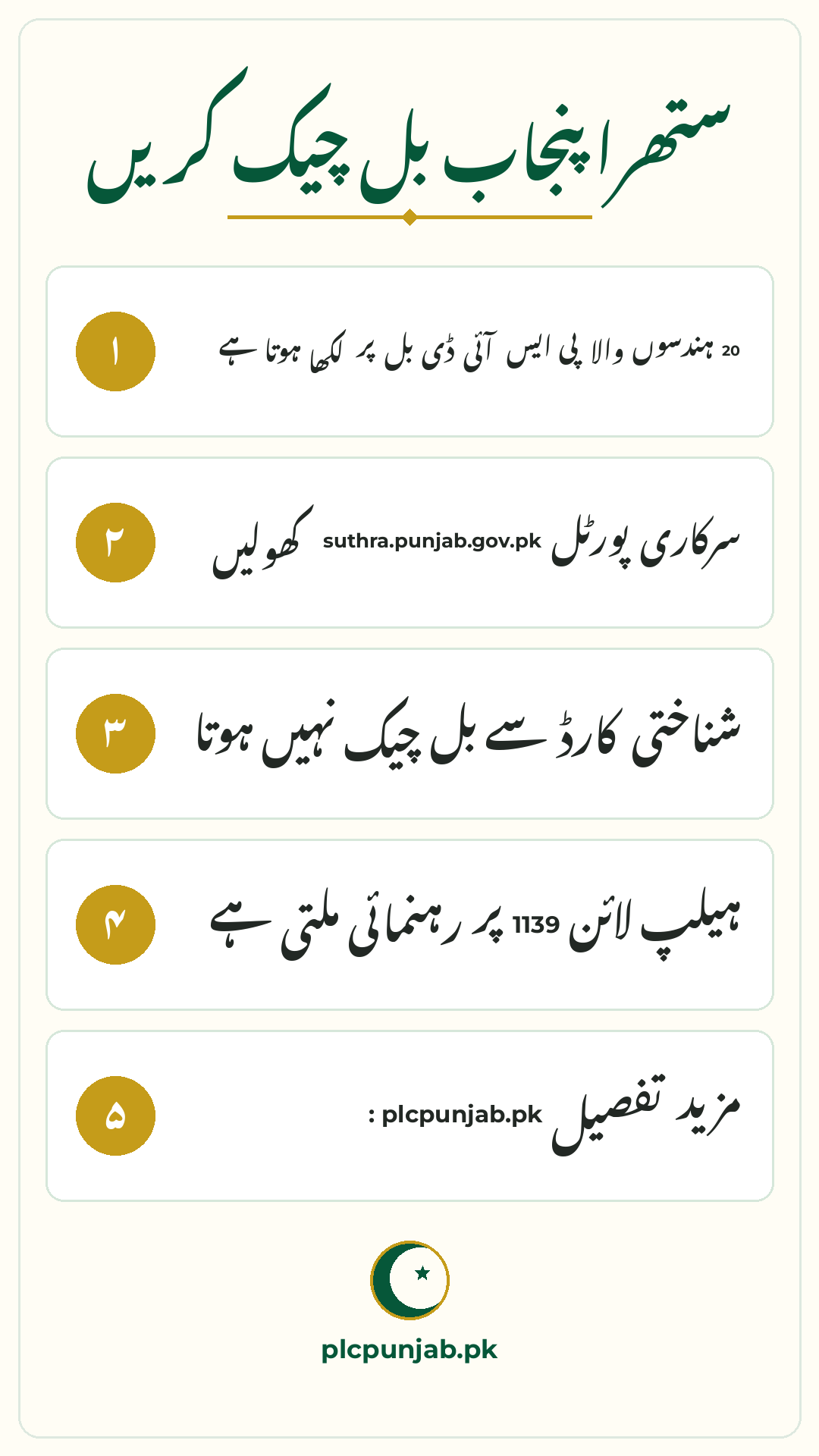
Open suthra.punjab.gov.pk in your browser, click the Bill Check Online option on the portal, and type the 20-digit PSID carefully, with no spaces. Submit and read your bill details on the screen. If the portal rejects your number, compare each digit with the printed bill and try once more.
Step 1: take your current paper bill and find the PSID
Step 2: open suthra.punjab.gov.pk in your browser
Step 3: click the Bill Check Online option on the portal
Step 4: type the 20-digit PSID carefully, with no spaces
Step 5: submit and read your bill details on the screen
What Your Online Bill Shows
The online view is a mirror of your paper bill record. It confirms the details that matter before you pay, so you can spot a mistake early instead of arguing after payment. Compare the screen with your paper bill line by line.
The screen shows the billing period, the exact amount payable, the due date printed for your bill, and your property category, meaning your marla band or business size. If the category on screen does not match your property, for example your 8 marla house is billed in the 10 to 20 marla band, note it down before paying. Billing complaints and corrections for the October round are handled by the Excise Department under its agreement with the Authority, and your PSID is the reference they will ask for.
Billing period: shows which months the charges cover
Amount payable: the exact sanitation fee you have to pay
Due date: the last date printed for your bill
Property category: confirms your marla band or business size
PSID: your reference for payment and any correction
Urban and Rural Fee Rates
Whether the bill is for your home or your shop, the online check works the same way. Only the tariff changes. Urban homes pay Rs 300 to Rs 5,000 per month by size, and urban shops and businesses pay Rs 500 for a small business, Rs 1,000 for a medium business and Rs 3,000 for a large business or industry.
Rural properties pay less under the same tariff. Rural homes pay Rs 200 for up to 10 marla and Rs 400 for larger homes, while rural businesses pay Rs 300, Rs 700 or Rs 2,000 by size. If you own both a home and a shop, expect a separate bill and a separate PSID for each property. Your own bill is the only official figure for what you owe, because rates can vary by district and can be revised.
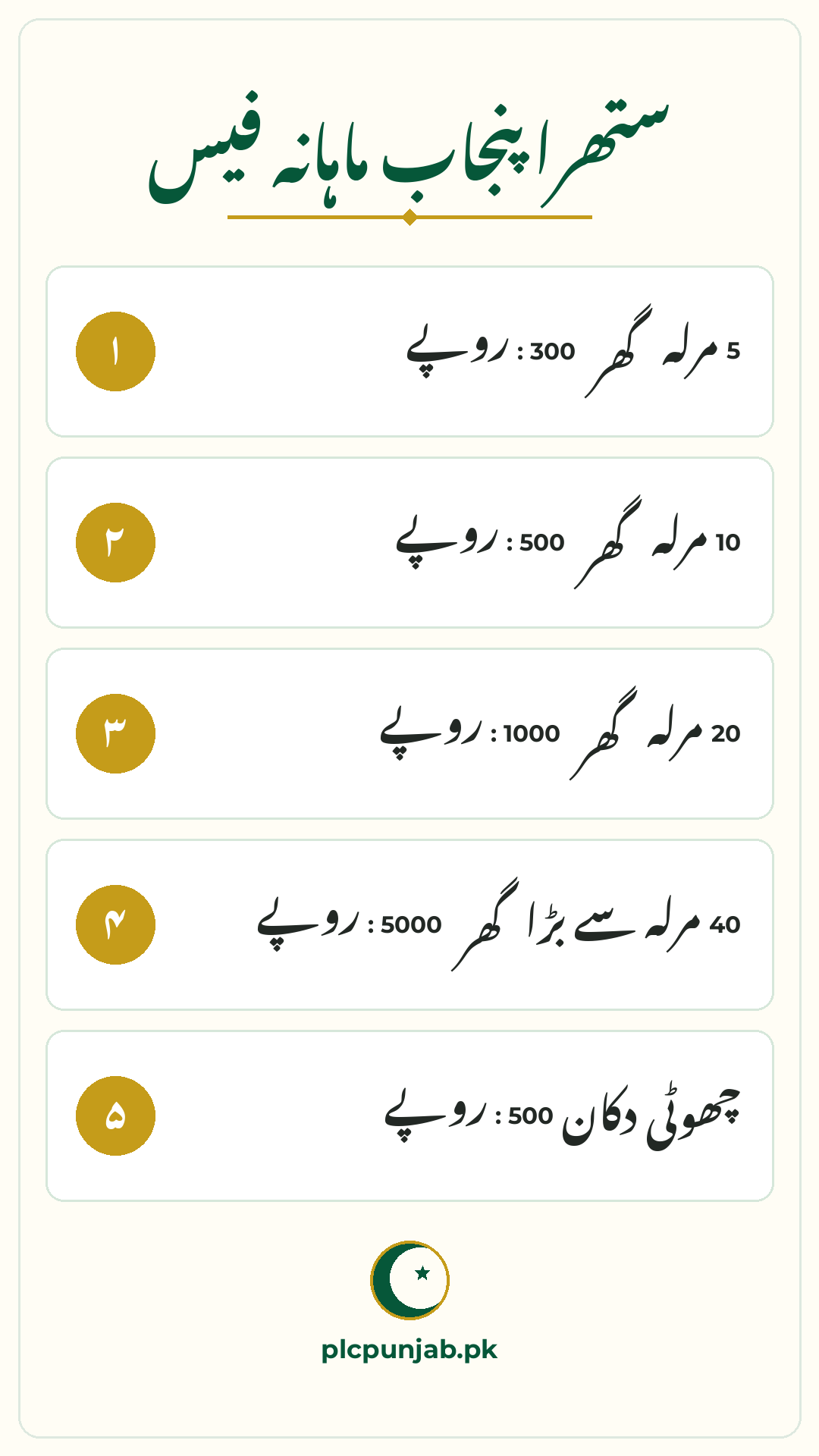
Urban home up to 5 marla: Rs 300 per month
Urban home 5 to 10 marla: Rs 500 per month
Urban home 10 to 20 marla: Rs 1,000 per month
Urban home 20 to 40 marla: Rs 2,000 per month
Urban home above 40 marla: Rs 5,000 per month
Urban shop: Rs 500, Rs 1,000 or Rs 3,000 by size
How to Pay and Keep Proof
Payment works on the same PSID, through government and banking channels, not cash dealing with any person. Pay through the usual Punjab digital channels using your PSID, including ePay Punjab, bank mobile apps and mobile wallets.
One caution about due dates: different reports have described different payment windows for the first bills. Your paper bill carries its own printed due date, and that is the only date you should plan around.
Use your PSID: it is your payment reference everywhere
Pay by your due date: the date printed on your own bill
Keep the proof: save the receipt or payment screenshot
No cash payments: never hand the fee to a visiting person
No agent needed: checking and paying are both do-it-yourself tasks
Common Problems and Simple Fixes
Because this billing system is new, small problems are common in the first rounds. Most of them have simple fixes, and none of them needs a paid agent. Run through this list before you worry about your bill.
If your street has not received bills at all, there is nothing wrong with your record: delivery began on 2 October 2026 and covers about five million urban properties, so rounds take time. For anything else, call 1139.
PSID not accepted: recheck all 20 digits against the paper bill
Bill not delivered yet: delivery is area by area, wait for your round
Wrong category: note the error and contact Excise for correction
Wrong name on bill: report it with your PSID for record correction
Amount looks doubled: check the billing period shown on the bill
Portal confusion: call 1139 and ask for bill check guidance
Property type
Monthly sanitation fee
Urban home up to 5 marla
Rs 300
Urban home 5 to 10 marla
Rs 500
Urban home 10 to 20 marla
Rs 1,000
Urban home 20 to 40 marla
Rs 2,000
Urban home above 40 marla
Rs 5,000
Urban shop or business
Rs 500, Rs 1,000 or Rs 3,000 by size
Rural home up to 10 marla
Rs 200
Rural home above 10 marla
Rs 400
Rural business
Rs 300, Rs 700 or Rs 2,000 by size
Conclusion
Checking your Suthra Punjab bill online is simple: open the official portal, choose Bill Check Online and enter the 20-digit PSID from your paper bill. There is no CNIC search, so ignore private sites that promise one and use only the official method. Pay through banking or digital channels before your printed due date, keep your receipt, and call 1139 if anything looks wrong.
FAQs
How can I check my Suthra Punjab bill online?
Open suthra.punjab.gov.pk, select Bill Check Online, and enter the 20-digit PSID printed on your paper bill. The portal shows your billing period, category, amount and due date.
Can I check my bill with my CNIC number?
No. The official portal offers no CNIC-based bill lookup. Any website that asks for your CNIC to show a Suthra Punjab bill is unofficial, and you should not enter your details there.
Where is the PSID written on the bill?
The PSID is a 20-digit number printed on your current paper bill. The same PSID is used to view the bill online and as your reference when you pay through banking or digital channels.
My bill category looks wrong. What should I do?
Note your PSID and report the error. Billing complaints and corrections for this round are handled by the Punjab Excise Department under its agreement with the Suthra Punjab Authority. You can also call 1139 for guidance.
What is the monthly fee for a 5 marla urban house?
An urban home of up to 5 marla pays Rs 300 per month. Your own bill is the final figure, because rates can vary by district.
Shahzad Sahil is the editor of plcpunjab.pk, covering Punjab government schemes including the Livestock Card, eligibility, registration and latest updates, with information verified from official sources for readers across Punjab.
Planting a tree, installing a solar panel or recycling waste can now put money in your pocket in Punjab, because the province pays citizens for verified green actions. The Punjab Green Credit Programme 2026 turns everyday green steps into Green Credits worth Rs 10,000 each. A participant can earn up to 10 credits, or up…
Punjab’s free medicine programme for blood cancer patients has suffered a serious disruption, with 5,000 registered patients unable to collect medicines from five designated hospitals for three months. The Chronic Myeloid Leukemia (CML) programme, running since 2014, provides four kinds of free cancer medicines monthly, but a bidding delay stopped distribution. Patients have been forced…
The Punjab Cabinet has approved a fresh Rs 60 billion for Apni Chhat Apna Ghar, opening 40,000 more interest-free home loans for families across the province. Here is what the decision changes for you, who qualifies, and how to get your application ready before the new quota fills up. Detail Information Scheme name Apni Chhat…
Every payment season brings the same question to millions of homes across Pakistan: has our district started yet? For the October to December 2026 installment of Benazir Kafaalat, the answer is coming in stages, not all at once. Payments of Rs 14,500 are being released district by district, so one family may receive its confirmation…
For a small shopkeeper, a tailor, a freelancer or a home-based business owner, the CM Punjab Asaan Karobar Card was designed to be the simplest business loan in the province: up to Rs 1 million, interest-free, repayable over three years, issued as a digital card through the Bank of Punjab. But there is one fact…
Lahore’s biggest public housing project is opening its next ballot, and buyers have until 3 December 2026 to join it. The LDA City Pine Executive and Pine Access Balloting December 2026 will allot residential and commercial plots through a ballot on 10 December 2026, with a two-year payment plan for the residential plots. The Lahore…